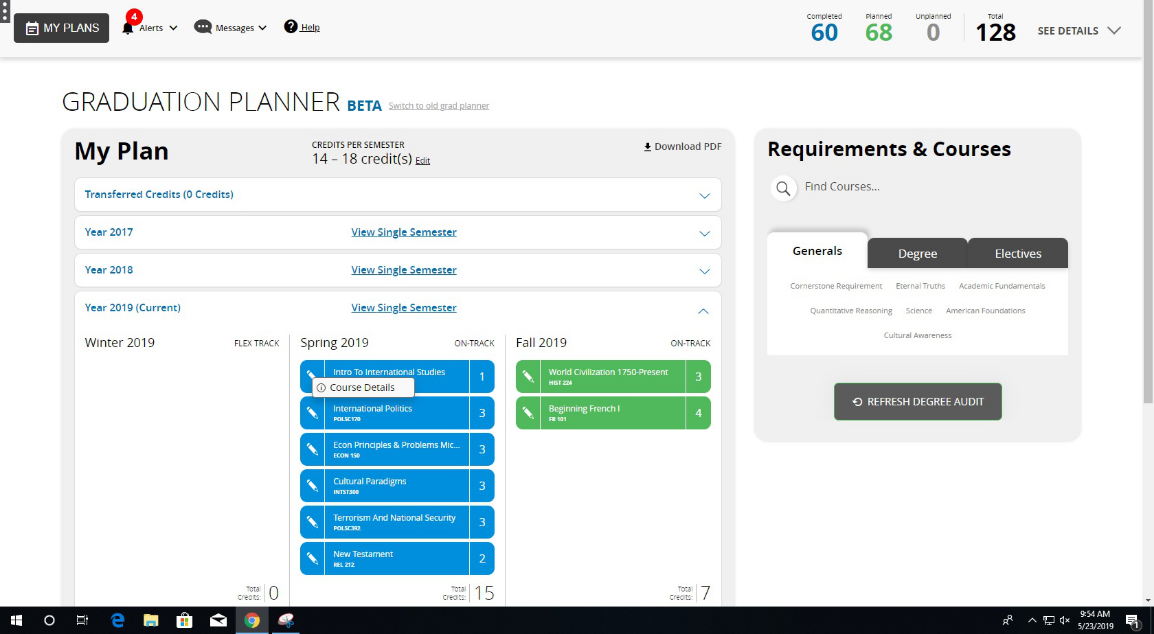
Click on the little pencil sign next to Course. It will show you a small panel labeled "Course details." Click on it.
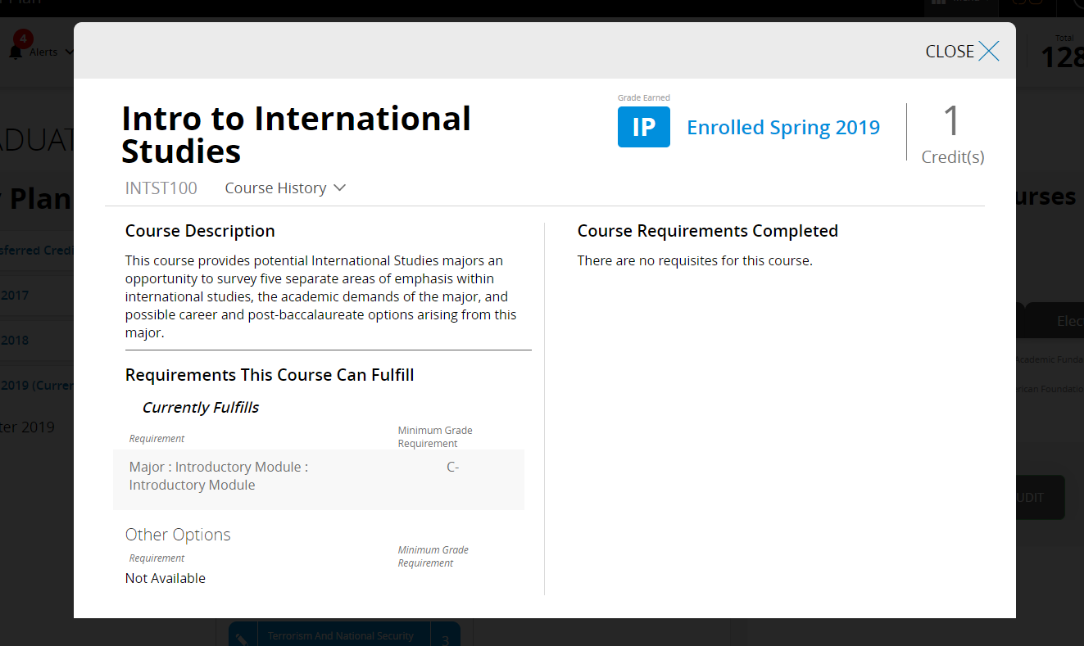
Once clicked, it will show you information about the course, including the class requirements.
Updated on
Click on the little pencil sign next to Course. It will show you a small panel labeled "Course details." Click on it.
Once clicked, it will show you information about the course, including the class requirements.