BYU-Idaho Help Guides

Graduation Planner Module - Delete Alternate Plan

Updated on

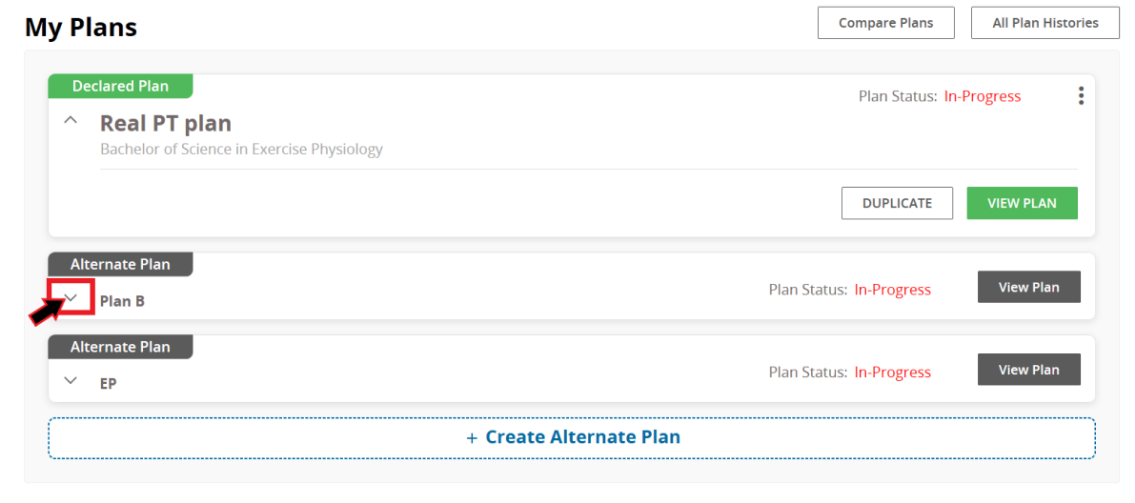
1. While in the "My Plans" page, click the down arrow below the alternate plan you wish to eliminate.
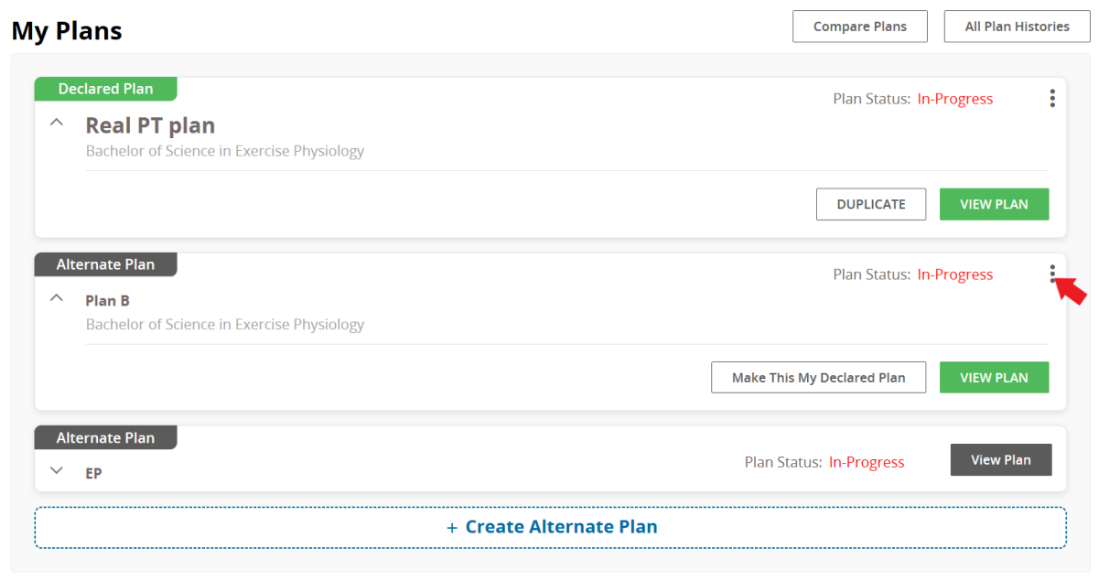
2. Click on the 3 vertical dots to view more options.
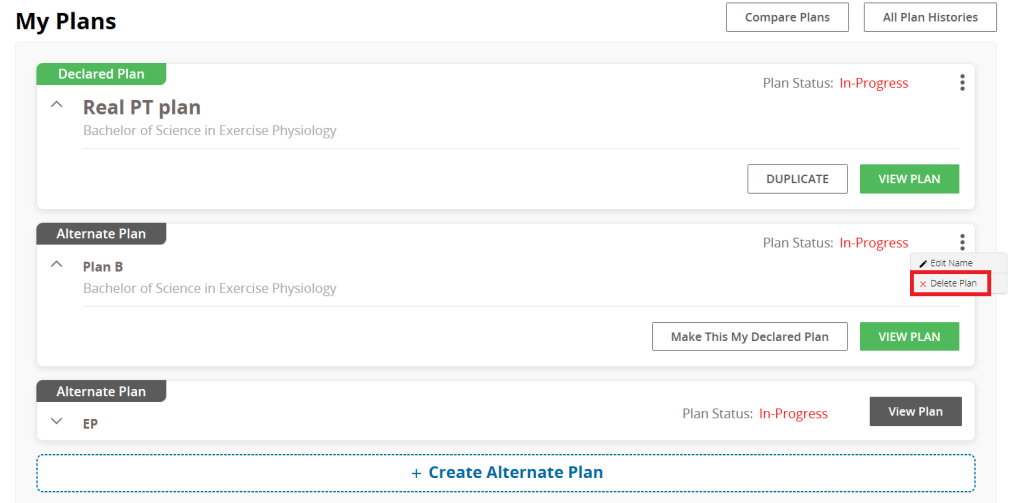
3. You then will see two options.

4. Click "Delete Plan"

5. Plan will be erased from your "My Plans" page.

0 Comments

Add your comment

This site is protected by reCAPTCHA and the Google Privacy Policy and Terms of Service apply.

Previous Article Graduation Planner Module - How to Approve your Plan
Next Article Graduation Planner Module - Duplicate Plan
Still Need Help? Contact Us