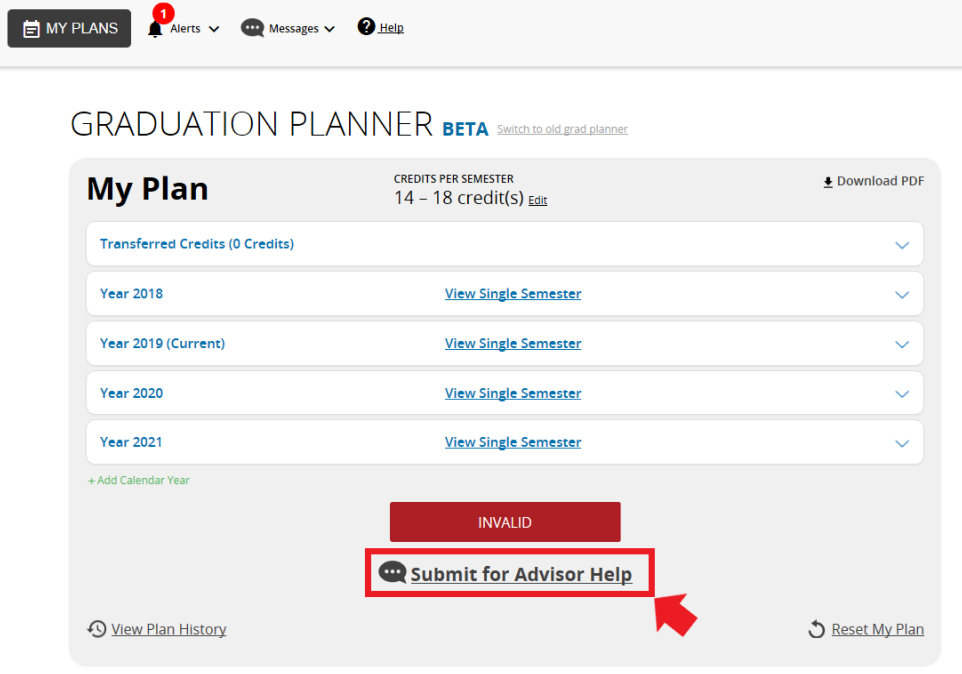
- When you try to validate or approve your plan and keep getting errors, and you want help from an advisor, click the button below the "Invalid" red box.
Note: This option will only appear after you click the approved button and your plan has not been approved.
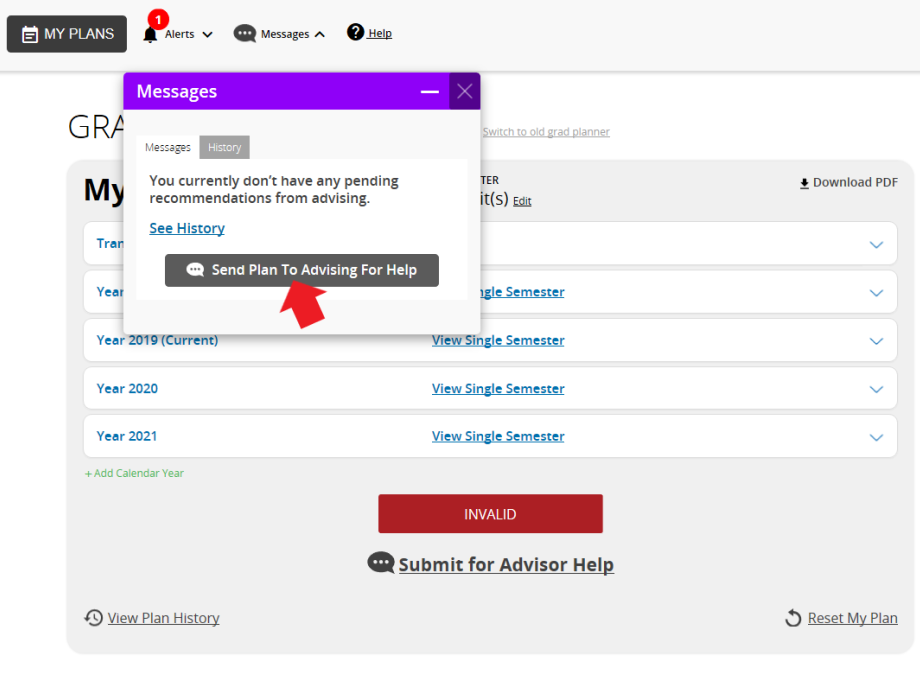
- Click on "Send Plan To Advising For Help"
- A small text window will open so you can send a text to the advisor with your plan.
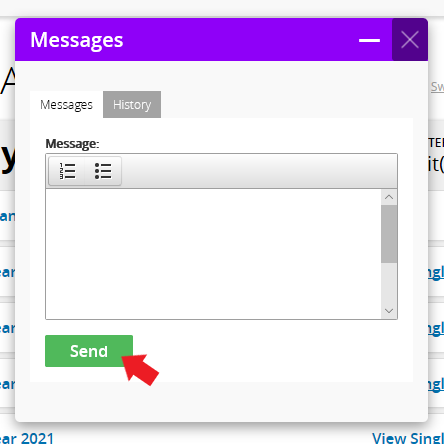
- Click "Send" when you finish typing your message.
- Your message with the grad planner will be sent to an advisor.
0 Comments
Add your comment