BYU-Idaho Help Guides

Graduation Planner Module - Duplicate Plan

Updated on

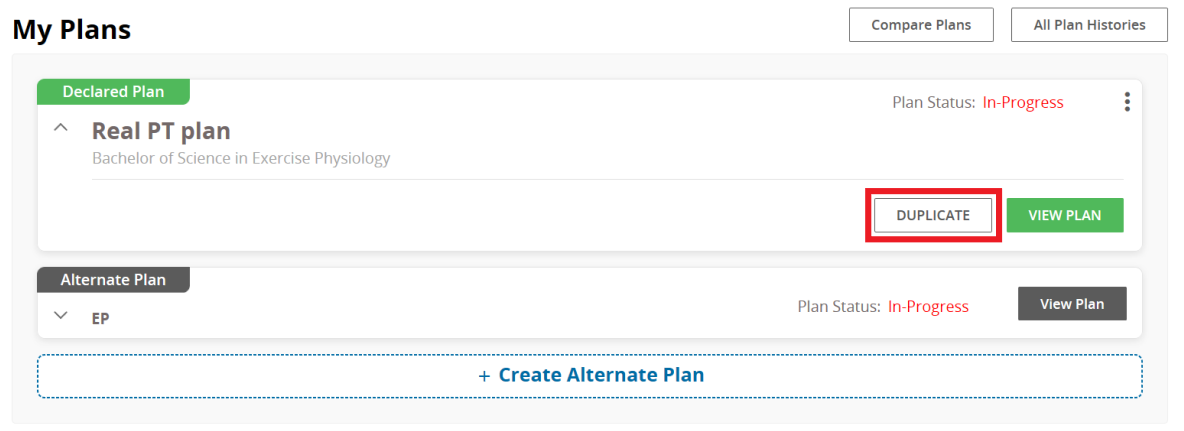
  1. First, go to the "My Plans" page.
  2. Then click the duplicate button available.
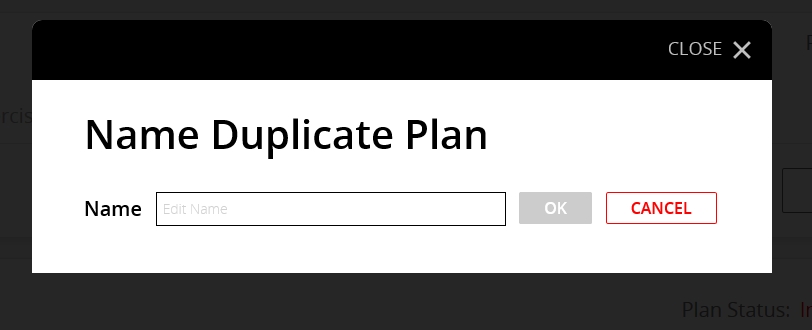
  3. A small window will open so that you can name your duplicate plan.
  1. After you have written the new name, the gray "OK" box will turn green.
  2. Press Ok when you are done.
  3. A duplicate plan will appear along with your other plans.

0 Comments

Add your comment

This site is protected by reCAPTCHA and the Google Privacy Policy and Terms of Service apply.

Previous Article Graduation Planner Module - Delete Alternate Plan
Next Article Graduation Planner Module - Add Year to Calendar
Still Need Help? Contact Us