Access I-Plan
Visit the Career Exploration Module of I-Plan
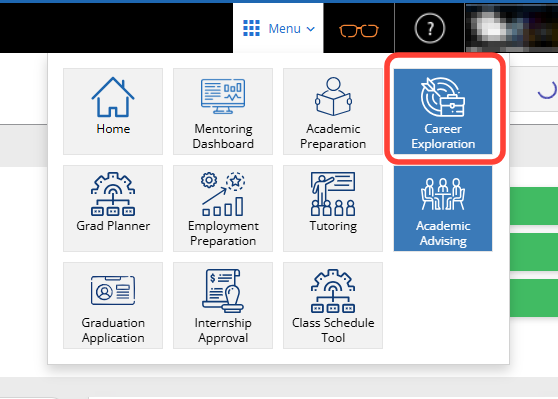
- Click the Career Exploration box to go to the Self-Discovery.
Complete the Self-Discovery
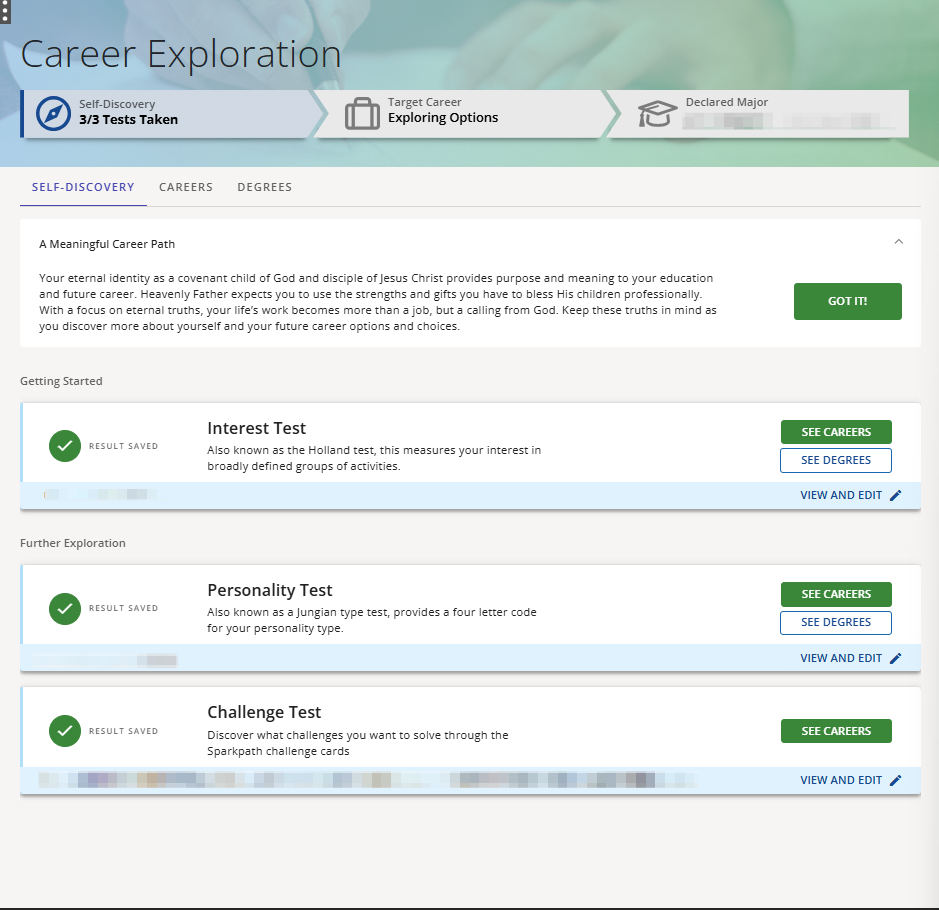
SELF-DISCOVERY tab
Recommended test order is as listed: Interest, Personality, Challenge; but can be taken in any order and not all have to be completed to start reviewing results.
Once a test is complete, your result will be listed in a blue bar just below the test and you can see matching careers and/or degrees by clicking on the buttons to the right of the test.
Interest Test
Helps identify your categories of interest based on a RIASEC profile (Realistic, Investigative, Artistic, Social, Enterprising, Conventional)
Identifies your three-letter interest code based on your selections
Approximately 5 minutes for 30 questions
Option to take a longer, 60-question test
Personality Test
Helps identify how you perceive the world and make decisions based on your preferences across four primary dimensions: Extraversion vs Introversion (E/I), Sensing vs Intuition (S/N), Thinking vs Feeling (T/F), and Judging vs Perceiving (J/P)
- 40-question test
Identifies your four-letter personality code based on your selections
Challenge Test
Helps you discover your most meaningful challenges
Directs you to the Spark-Path Challenge Card Site, where you will use the “BYU-Idaho” code to register and do the card sort activity.
Identifies your top three challenges based on your selections
View and Edit (on the right of theblue bar under completed tests)
Allows you to view previously taken test results
Allows you to retake tests already completed
Meet with an Advisor buttons – placed throughout the self-discovery section are buttons that will take you to the I-Plan page for scheduling an appointment with an Career and Academic Advisor
0 Comments
Add your comment