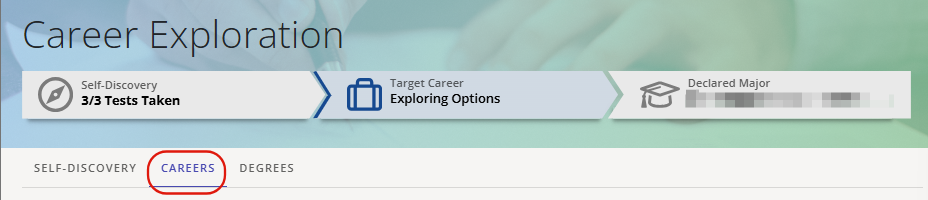
The Careers tab can be accessed in two ways from the Career Exploration Module in I-Plan.
From the "SELF-DISCOVERY" page, by selecting [SEE CAREERS] to the right of any completed test
Accessing this way will filter (and sort) careers, putting those with the highest percentage match to your test results at the top of the list
By selecting [CAREERS] at the top of the page
Accessing this way will keep whatever career filtering was last applied
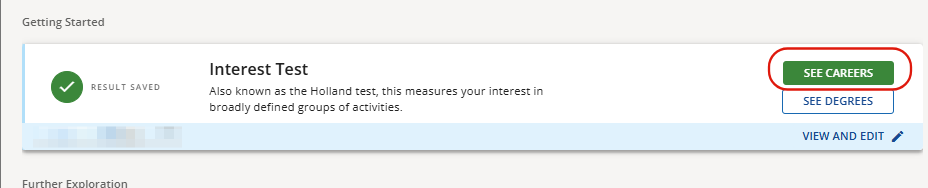
Click on See Careers.
- This lists careers with related BYU-Idaho degrees for each career
Option at the top of the page to filter based on any mix of completed tests
Options next to each listed career to like or dislike that career, which adds them to a list that can be accessed by clicking on the [LIKED] and [DISLIKED] buttons at the top of the page
Search bar to search for any career in the database by name (will only search from the filtered list)
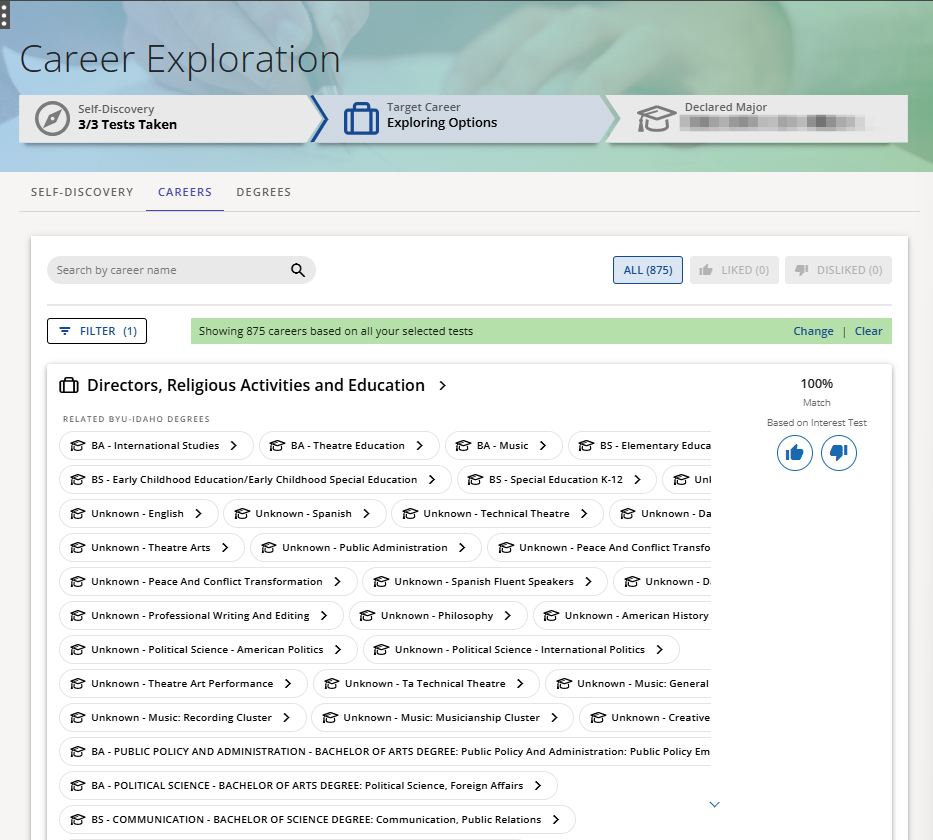
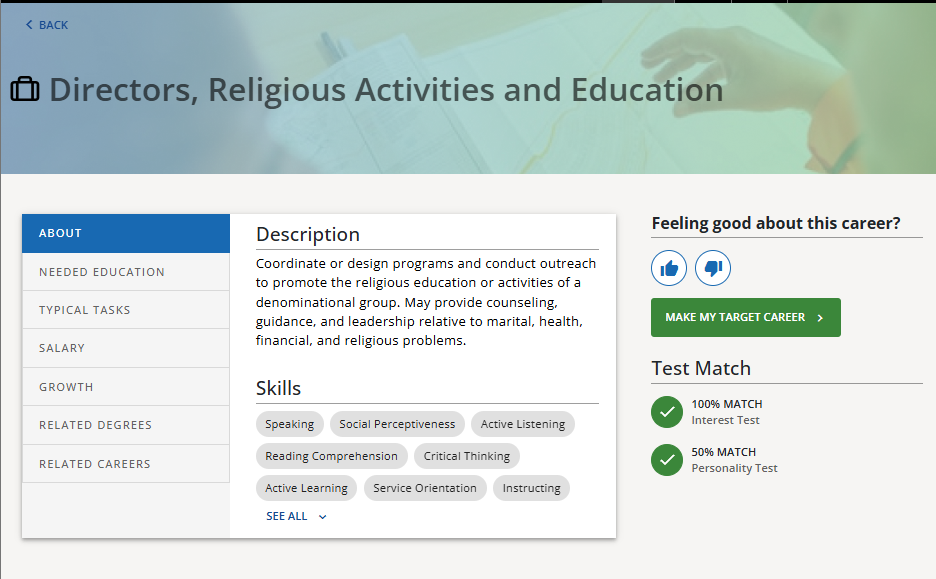
Clicking on the career title will take you to the page for that career, showing:
Test Match score(s) for any completed tests
Option to like or dislike the career
Option to make that career the target career (shows up on the main page as the target career)
Tabs on left
About (Description and Skills)
Typical Tasks
Salary (shows national average and can show average by state or city also)
Growth (shows national average and can show average by state or city also)
Related Degrees (selecting will take you to the degree’s page)
Related Careers (selecting will take you to the career’s page)
0 Comments
Add your comment