Graduation Planner Module - Understanding "Requirements and Courses" Section
Updated on
This Section Will Help You Plan Your Required Courses Effectively
- On your Grad Planner, you will have 3 different course categories. You can find those on the right of the screen under "Requirements & Courses"
- You will see Generals, Degree, and Electives.
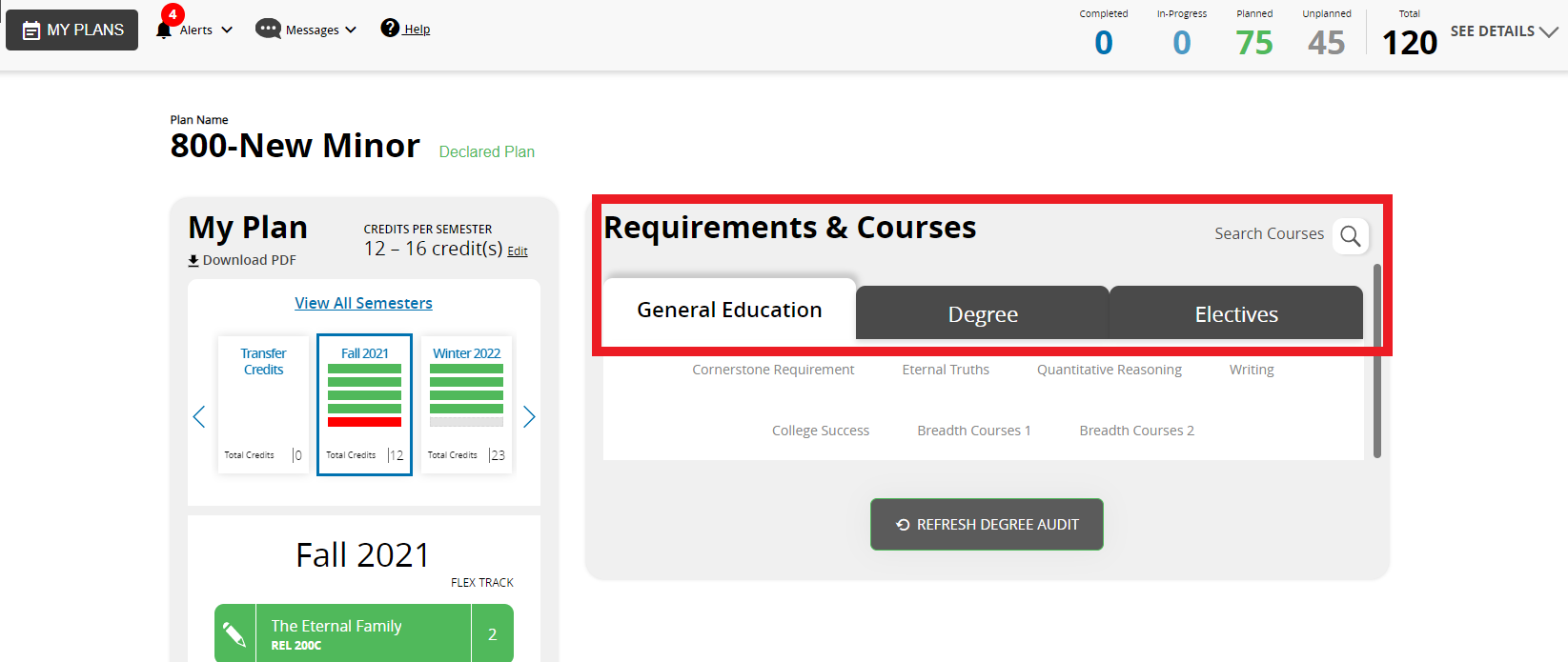
- A number of sub-categories will appear, such as cornerstone requirements, eternal truths, Quantitative Reasoning, etc...
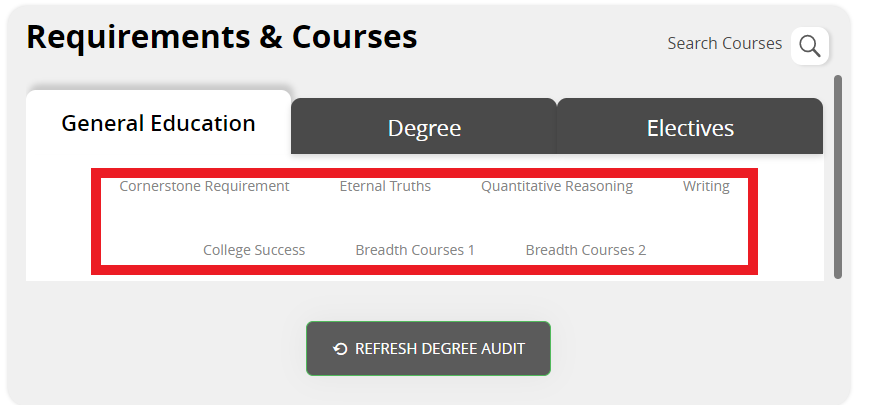
- Select one of the options you would like to see the courses and the amount of credits you need to plan for that specific sub-category.
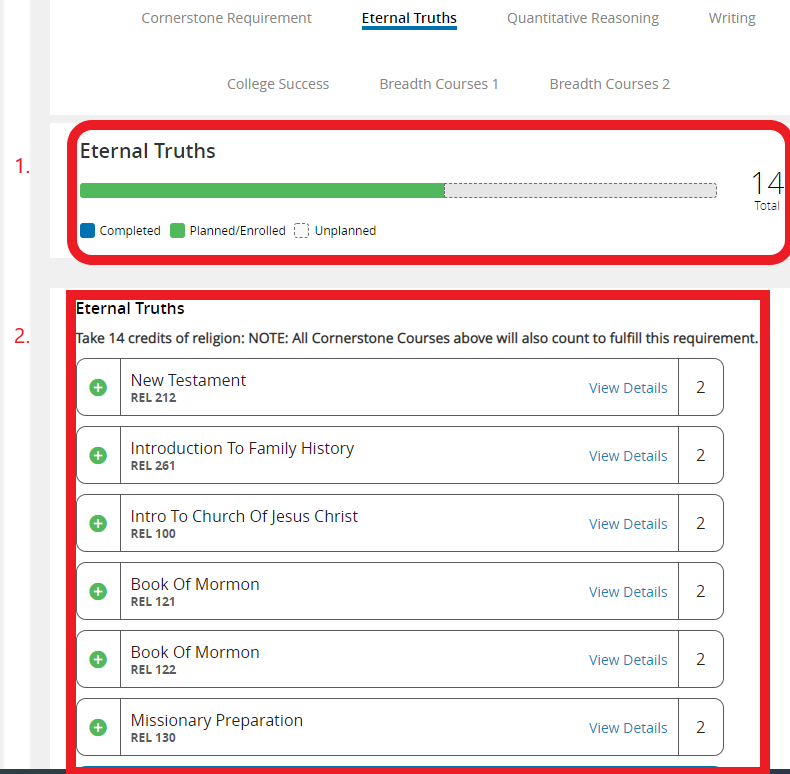
- On the box labeled #1, you will see completed courses in blue, planned courses in green, and unplanned courses are blank.
- You will also see the total amount of credits needed on the right side of the bar.
- Box #2 shows the course options you have available for planning.
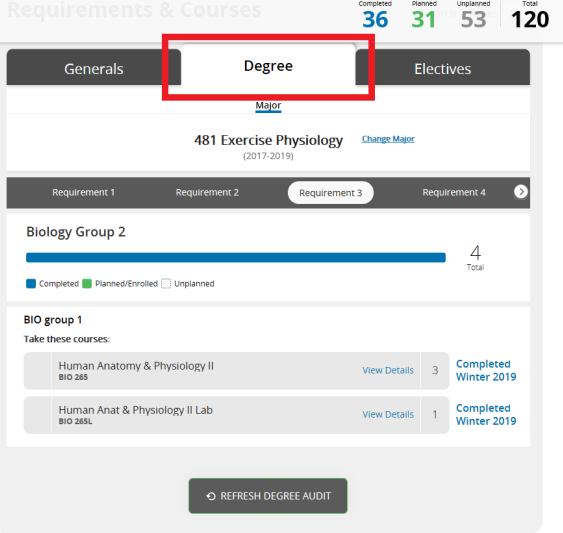
- When you select the degree tab, you will see the core courses required for your major.
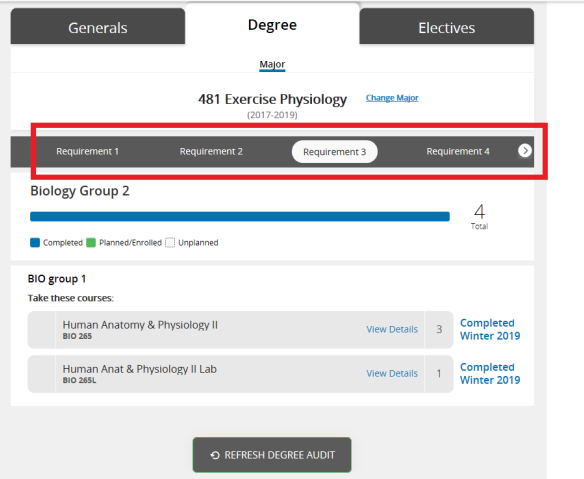
- You will also find a bar with different requirements.
- These show the course options that are required for each requirement.
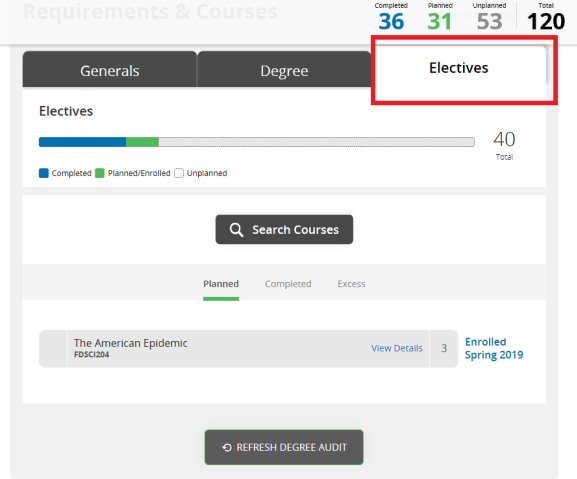
- When you click on the electives box, you will see a bar with elective credits needed, electives completed, planned, and unplanned.
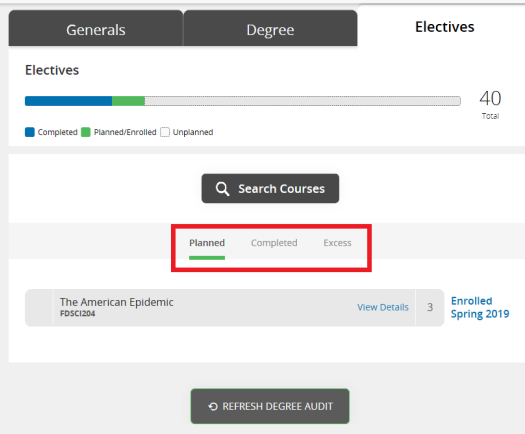
- You can also switch to view the electives you have planned, completed, and the excess credits you have planned and/or taken.
- Courses pertaining to its respective categories will be shown below.
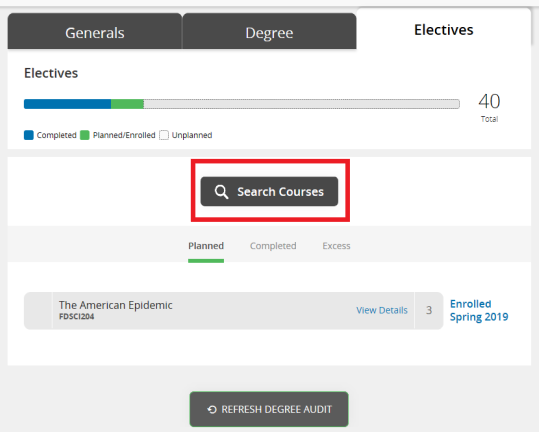
- If you would like to search for a specific course, click this button to open a search bar.

- Here, you can manually type in the course name or code you are interested in.
- You can also search with filters by department, instructional method, course type, and credits.
0 Comments
Add your comment