BYU-Idaho Help Guides

Graduation Planner Module - Add Year to Calendar

Updated on

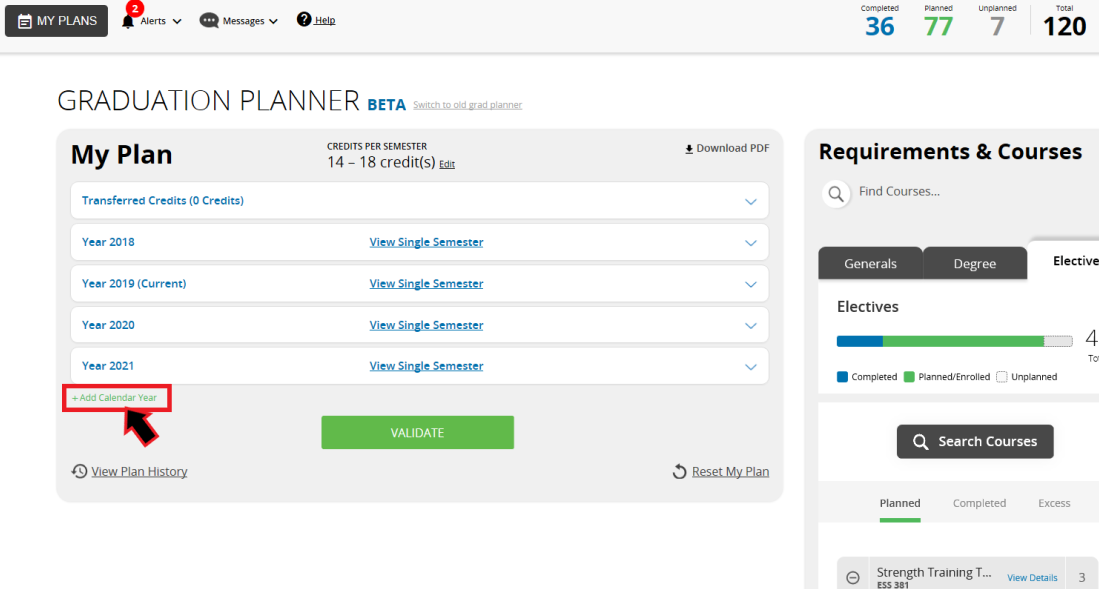
  1. While in your grad planner, go to the bottom of the last calendar year.
  2. There will be an option to "Add Calendar Year".
  3. Once you click it, the calendar year will automatically be added to your plan. 

0 Comments

Add your comment

This site is protected by reCAPTCHA and the Google Privacy Policy and Terms of Service apply.
Previous Article Graduation Planner Module - Duplicate Plan
Next Article Graduation Planner Module - Send Grad Plan to an Advisor
Still Need Help? Contact Us